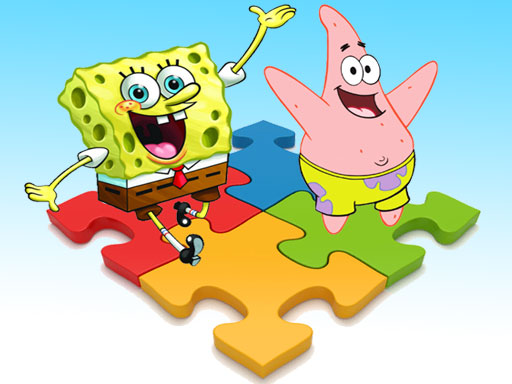
SpongeBob Puzzle Fun offers a relaxing and engaging puzzle experience for all ages. The ability to upload custom pictures adds a personal touch, while adjustable difficulty levels make it suitable for beginners and experienced players alike. The game runs smoothly on most devices and is completely free of inappropriate content, making it a safe choice for family game time.
SpongeBob Puzzle Fun is a jigsaw puzzle game that brings the cheerful underwater world of Bikini Bottom to your screen. Players can enjoy colorful scenes featuring SpongeBob, Patrick, and other beloved characters. Designed for children and families, this game provides a safe and engaging activity that helps develop observation and spatial reasoning skills. Players can choose from a library of pre-loaded images or upload their own pictures to create unique puzzles. The game offers a relaxing yet stimulating experience, perfect for short breaks or quality family time.
To start, select a puzzle image from the SpongeBob collection or upload a photo from your device. Next, choose your difficulty level by adjusting the number of puzzle pieces. The game interface allows you to drag and drop pieces into the correct positions. As you fit pieces together, the full picture gradually emerges. Once completed, you can view the final image and share it with friends or family. The controls are intuitive, making it easy for players of all ages to join the fun.
This jigsaw puzzle game includes the ability to upload custom pictures, which adds a personal touch to every puzzle. Adjustable difficulty levels let players choose between fewer pieces for younger children or more pieces for a greater challenge. All content is family-friendly and free from violence or inappropriate themes. The game runs smoothly on most devices and requires no downloads, making it accessible anytime.
To get the most out of your puzzle experience, start with fewer pieces to build confidence before moving to more challenging levels. Focus on the edges of the puzzle first, as they are easier to identify and assemble. Sorting pieces by color or pattern can help you quickly find matching sections. Take breaks if you feel stuck—sometimes a fresh look reveals the solution. Playing with family or friends can make the activity more enjoyable and collaborative.




Comments
0 comments