Advertisement
Campus Quest Creative Sandbox

Campus Quest Creative Sandbox

Developer: Nimbus Core Games
Updated: 2026-07-20
| Creative , Social , Exploration , Construction

Review

Campus Quest Creative Sandbox succeeds in creating a relaxed, engaging environment. The school setting is well-suited for exploration, and the obstacle courses offer just the right level of challenge. The building tools are intuitive, allowing players to quickly create and share their own content. Social features are integrated smoothly, encouraging collaboration without pressure. It is a solid choice for anyone looking for a constructive, community-focused online experience.

About This Game

Open Exploration Hub

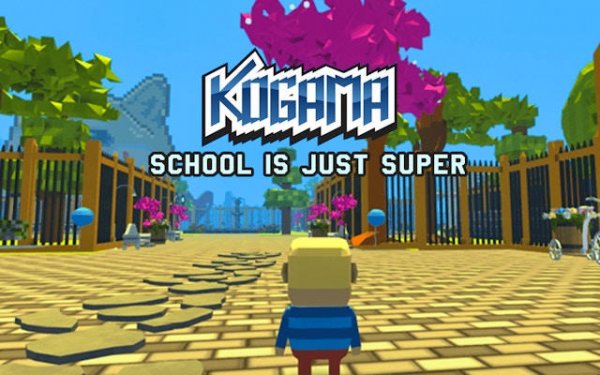
In Campus Quest Creative Sandbox, the school becomes a vast environment to roam freely. Classrooms, corridors, and outdoor areas are filled with interactive elements. Players can wander at their own pace, discovering hidden corners and meeting others along the way. This design encourages curiosity and casual social interaction without strict goals.

Obstacle Course Challenges

Scattered across the map are custom-made courses that test timing and coordination. These paths require careful jumps, quick runs, and smart route choices. Some courses are straightforward, while others include tricky sections that demand patience. Completing them offers a sense of accomplishment and unlocks further exploration.

Creative Construction Tools

A built-in editor allows players to design their own rooms and mini-games. Using simple building blocks, anyone can construct platforms, ramps, and decorative elements. This system supports sharing creations with the community, turning the school into a constantly evolving space. It is a hands-on way to learn basic design principles.

Social Interaction Features

The game functions as a social hub where players can meet, chat, and collaborate. Teaming up with others makes obstacle courses easier and building projects more fun. The environment is moderated to maintain a friendly atmosphere. This focus on positive interaction makes it suitable for all age groups.

Personalization Options

Avatars can be customized with various outfits and accessories. This allows players to express their style while exploring or building. The customization system is straightforward, letting players change their look quickly. It adds a personal touch to the social experience without complex menus.


Compatibility

▸ Desktop: Chrome / Edge / Firefox / Safari
▸ Mobile: iOS Safari / Android Chrome
▸ Tablet: iPadOS Safari / Android Tablet Browser
Keep your browser updated for the best experience

Faq

Is Campus Quest Creative Sandbox free to play?
Yes, the game is free to access through the Kogama platform. Some optional cosmetic items may be available for purchase, but the core exploration, building, and social features do not require any payment.
Can I play Campus Quest Creative Sandbox on mobile devices?
The game is primarily designed for desktop browsers, but it may also be accessible on tablets with a compatible browser. Check the official Kogama website for the most current device support information.
How do I save my custom-built rooms in the game?
After finishing your construction, use the in-game menu to save your creation. Saved rooms are stored on your account and can be shared with other players or edited later. Make sure to name your room for easy identification.
Are there any age restrictions for playing this game?
The game is designed for a general audience and is suitable for children and teenagers. Parental guidance is recommended for younger players, especially regarding online chat features. The platform includes moderation tools to ensure a safe environment.
What happens if I get stuck on an obstacle course?
If you encounter a difficult section, you can ask other players for help or watch how they navigate the course. Many courses have checkpoints, so you can retry from a nearby point without starting over. Practice and observation are key to improving.
Can I play Campus Quest Creative Sandbox alone?
Yes, the game can be enjoyed solo. You can explore the school map, complete obstacle courses, and build rooms without interacting with others. However, some features like cooperative puzzle-solving are best experienced with friends.

Comments

0 comments
U
User
Loading comments...