Vehicle Palette Studio succeeds by removing all stress from the coloring process. There are no timers, no scores, and no wrong choices. The simple controls work smoothly on any device, and the ability to undo mistakes keeps the experience frustration-free. The variety of vehicle outlines offers enough choice to stay interesting without overwhelming the user. It is a solid choice for anyone seeking a quiet, creative pastime that the whole family can enjoy together.
About This Game
Getting Started with Coloring
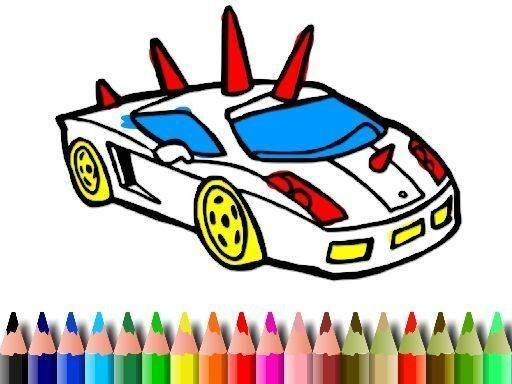
From the main menu, players can browse a selection of vehicle outlines. Each outline presents a different type of car, ready to be filled with color. Tapping or clicking on a picture opens the coloring workspace, where a palette of shades is available on the side. The process is straightforward: pick a color, then touch or click the area you wish to fill. Colors can be changed at any moment, allowing for spontaneous adjustments. If a section is colored in a way you do not like, an undo option lets you revert that step. You can also restart the entire picture if you prefer to begin again. The interface is designed to be clear and responsive, making it easy for both children and adults to navigate.
Creative Freedom Without Pressure
There are no timers, scores, or penalties in this activity. The entire experience is built around the idea of unhurried creativity. You can spend as much time as you like on a single vehicle, experimenting with different color combinations. Some players might prefer realistic shades, while others may enjoy using bright, unexpected hues. The game does not judge or correct your choices. This freedom encourages exploration and personal expression. Because there is no rush, the activity can serve as a calming break from daily routines. It is suitable for quiet afternoons at home, during travel, or as a shared family moment.
Visual Style and Accessibility
The vehicle outlines are drawn with clear, bold lines that make it easy to see where each section begins and ends. This design helps younger players stay within the lines while still offering enough detail for older users to enjoy. The color palette includes a wide range of options, from primary colors to softer pastels and deeper tones. Controls work with both mouse and touch screens, so the game functions on computers, tablets, and smartphones. The layout is simple, with no distracting menus or pop-ups. This straightforward approach ensures that the focus remains on the coloring activity itself.
Sharing and Preserving Your Work
Once a vehicle is fully colored, you have the option to save the finished image to your device. This allows you to keep a record of your creations or share them with friends and family. Some players enjoy building a personal gallery of their colored vehicles over time. The ability to save also means you can revisit and admire your work later. If you prefer to keep your artwork private, that is also fine. The game does not require any account or online connection for saving. This feature adds a sense of accomplishment without adding any complexity to the experience.
Compatibility
✅ Works on PC & Mobile | Recommended: Chrome / Safari / Edge
Share:
Faq
Is Vehicle Palette Studio free to play?
The game is free to access with no hidden costs. There are no in-app purchases or subscription fees required to use the coloring tools or save your artwork. All features are available from the start.
Can I use this game on a tablet or phone?
Yes, the game is designed to work on touch screen devices like tablets and smartphones. The controls respond to finger taps, making it easy to color on the go. It also works with a mouse on computers.
Are there new vehicle outlines added regularly?
The game includes a set of vehicle outlines at launch. Updates may add new designs over time, but the current collection provides a variety of different car types to color.
Is there an age recommendation for this game?
This activity is suitable for all ages. Young children can enjoy the simple tap-to-fill mechanics, while older players may appreciate the creative freedom. No reading skills are required to play.
Can I undo a mistake after coloring a section?
Yes, the game includes an undo feature that lets you reverse the last action. You can also restart the entire picture if you want to begin again from a blank outline.
Does the game require an internet connection to play?
No internet connection is needed after the initial download. You can color and save your artwork offline, making it convenient for travel or areas with limited connectivity.









Comments
0 comments