logo StellarPlay Arcade
Home Action Puzzle Sports Adventure About
Sign In
My Profile Logout
  1. Home
  2. /
  3. Prehistoric Dash: Dino Runner
Prehistoric Dash: Dino Runner

Prehistoric Dash: Dino Runner

Developer: Gunner Current Labs
Updated: 2026-07-21
| Casual , Arcade , Action , Runner , Single Player
Casual Arcade Action Runner Single Player

Review

Prehistoric Dash: Dino Runner delivers a clean, focused endless running experience. The bright prehistoric visuals are appealing, and the gradual speed increase keeps the gameplay engaging without feeling unfair. Controls are responsive, making jump timing feel precise. The lack of complex mechanics means you can jump in and play instantly, while the distance counter provides a clear goal for improvement. It is a solid choice for quick, satisfying arcade sessions.

About This Game

Core Gameplay Loop

Prehistoric Dash: Dino Runner places you in control of a dinosaur character navigating an endless prehistoric landscape. The objective is straightforward: run as far as possible while avoiding obstacles that appear along the path. The game increases its pace gradually, demanding quicker reactions and more precise timing as you progress. Each run ends when you collide with an obstacle, encouraging repeated attempts to improve your distance and score.

Visual Style and Theme

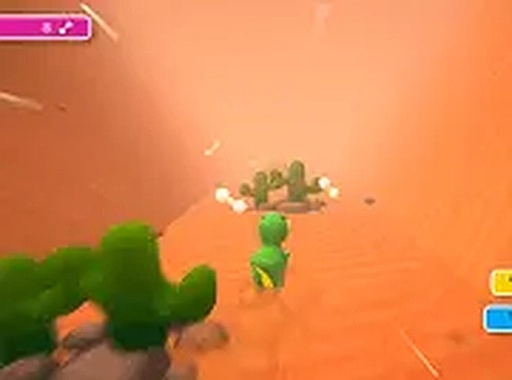
The game features bright, colorful graphics that depict a lively prehistoric environment. The setting includes varied terrain and background elements that change as you run, providing visual variety without distracting from the core action. The dinosaur character is animated with a playful style, adding to the lighthearted tone of the experience. The overall aesthetic is designed to be appealing to players of all ages.

Control and Responsiveness

Controls are designed for simplicity. Using either the keyboard spacebar or mouse click, you make the dinosaur jump to clear obstacles. The jump response is immediate, allowing for quick adjustments. As the game speeds up, anticipating obstacles becomes key. The straightforward control scheme means you can focus entirely on timing and pattern recognition, making the game accessible while still offering challenge.

Scoring and Progression

Points are earned by collecting items scattered along the path. A distance counter tracks how far you have traveled, providing a clear metric for personal improvement. There is no end to the run; the game continues until you make a mistake. This structure encourages setting personal goals, such as beating your previous best distance or achieving a higher score through careful item collection.

Accessibility and Platform

Prehistoric Dash: Dino Runner is a browser-based game that requires no downloads or installations. It runs smoothly on desktop computers and is free to play. The short session length makes it suitable for quick breaks, while the endless format invites longer play sessions for those aiming to set new records. The game is optimized for keyboard and mouse input, ensuring a consistent experience across different systems.


Compatibility

✅ Works on PC & Mobile | Recommended: Chrome / Safari / Edge

Share:

Faq

Is Prehistoric Dash: Dino Runner free to play?
Yes, the game is completely free to play. There are no hidden costs or in-game purchases required. You can access it directly through your browser on a desktop computer without any payment.
Do I need to download anything to play this game?
No download is necessary. Prehistoric Dash: Dino Runner runs entirely in your web browser. Simply visit the game page and start playing immediately. This makes it convenient for quick gaming sessions without taking up storage space.
What happens when my dinosaur hits an obstacle?
When the dinosaur collides with an obstacle, the run ends. You will then see your final distance and score. The game encourages you to try again to improve your performance, with each attempt starting from the beginning.
Can I play Prehistoric Dash: Dino Runner on a mobile device?
The game is designed for desktop play and works best with a keyboard or mouse. It may not be optimized for touchscreens or mobile browsers. For the best experience, use a desktop or laptop computer.
Does the game have different difficulty levels?
The game does not have selectable difficulty levels. Instead, the challenge increases naturally as you progress. The speed gradually rises, making obstacles appear more frequently and requiring faster reactions. This creates a built-in progression of difficulty.
How can I improve my score in this game?
Focus on timing your jumps accurately to clear obstacles. As the game speeds up, try to anticipate obstacles earlier. Collecting items along the path adds to your score, so aim to gather them without compromising your positioning. Regular practice helps you learn obstacle patterns and improve your reflexes.

Comments

0 comments
U
User
★ ★ ★ ★ ★
Please login to post a comment.
Loading comments...

Related Games

Rollercoaster Track Builder Puzzle
▶

Rollercoaster Track Builder Puzzle

Puzzle , Creative , Family , Casual , Logic , Design
Through the Clouds Endless Climber
▶

Through the Clouds Endless Climber

Action , Adventure
Dash Friends Speedway
▶

Dash Friends Speedway

Casual , Platformer , Arcade , Runner , Collection
Basketball Jump Dunk Arcade
▶

Basketball Jump Dunk Arcade

Arcade , Sports
Boat Race Deluxe Arcade Racing Game
▶

Boat Race Deluxe Arcade Racing Game

Arcade , Racing
Santa Gift Chase Arcade Game
▶

Santa Gift Chase Arcade Game

Action , Adventure
Find Cat 2: Cozy Hidden Object Puzzle
▶

Find Cat 2: Cozy Hidden Object Puzzle

Puzzle , Hidden Object , Casual , Family Friendly , Observation , Relaxing
Pong Arcade Sports Challenge
▶

Pong Arcade Sports Challenge

Arcade , Sports

StellarPlay Arcade

  • Home
  • Action
  • Puzzle
  • Sports
  • Adventure
  • About
  • Terms of Use
  • Privacy Policy
  • Contact Us
  • Disclaimer

© 2026  StellarPlay Arcade All rights reserved.

↑

Share this page

Copy the link below to share this page: